
WATCH: Cloud Security for Smaller Businesses

Previously a Customer-Exclusive Webinar
The cloud is fast, scalable, and accessible from anywhere—what’s not to love? Well, just like any forecast, there’s always a chance of storms. And as the great outdoorsman Donald F. Gorman once said, “there’s no such thing as bad weather, just bad gear.”
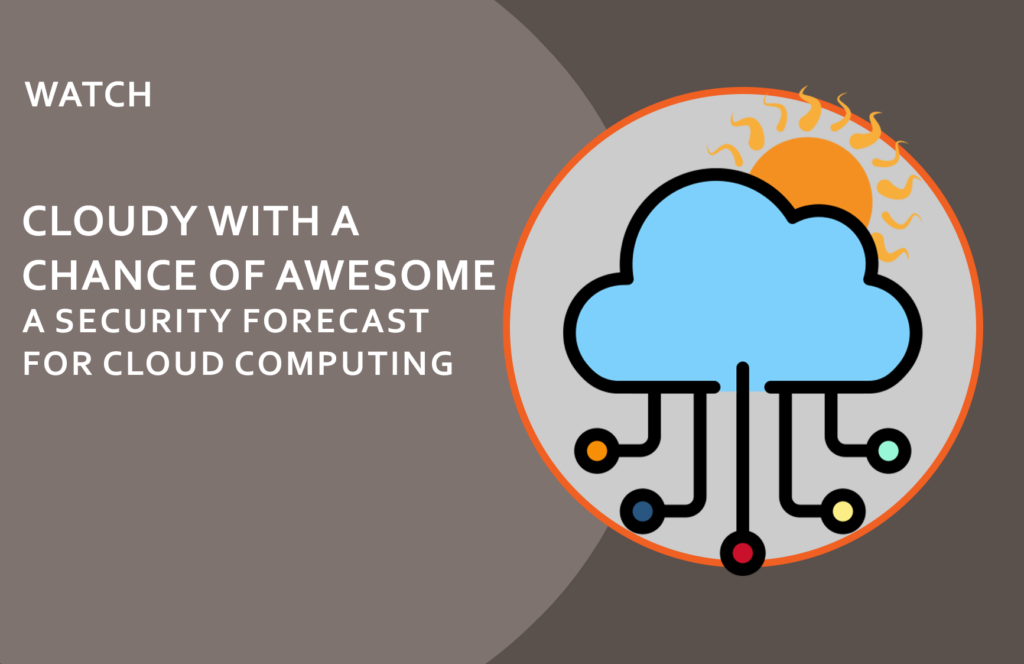
This guide expands on OrbitalFire’s Customer Learning Series webinar “Cloudy with a Chance of Awesome: A Security Forecast for Cloud Computing,” hosted by CEO Reg Harnish. Watch the recording below, or read the full guide.
View The Cloud Computing Webinar On Our YouTube Channel>
New to cloud computing? Start with What Small Businesses Really Need to Know About Cloud Computing first, then return here for the security deep-dive.
Cloud computing has given smaller businesses access to tools and infrastructure that used to require enterprise budgets: Microsoft 365, cloud storage, SaaS applications, remote collaboration platforms. The speed, scalability, and cost savings are real.
So is the security exposure.
When your data lives in someone else’s infrastructure, the risks look different from what you’d face with on-premises systems. Many of those risks are less visible, easier to miss, and faster to exploit. This guide covers where cloud security actually breaks down for smaller businesses, what you can do about it, and how to ask the right questions before a cloud decision becomes a security problem.
Why Cloud Security Is Different from Traditional IT Security
In a traditional on-premises environment, your data lives on hardware you own, in a building you control, connected to a network with a defined perimeter. Security meant protecting that perimeter and monitoring what happened inside it.
In a cloud environment, that perimeter is gone. Your data lives on infrastructure you don’t own, in data centers you’ve never seen, accessed via the internet by employees on devices you may or may not manage. Your “network” is wherever your employees are, on whatever devices they’re using, connected through whatever network is available.
This isn’t a reason to avoid the cloud. It’s a reason to understand that securing it requires different thinking than traditional IT security did.
The Shared Responsibility Model: Where Cloud Security Actually Breaks Down
Every major cloud provider operates under what’s called the shared responsibility model. In plain terms: the provider secures the infrastructure; you’re responsible for everything else.
What the cloud provider is responsible for: the physical data centers, the underlying network, the hardware, the hypervisor, and the baseline availability of the service. Microsoft, Google, and Amazon invest more in securing this layer than any individual smaller business could afford.
What you’re responsible for: your data, your user accounts and access controls, your configuration of the cloud environment, your applications, and your monitoring of what happens inside your cloud tenancy.
The problem is that most smaller businesses assume the provider handles security. They don’t, fully. The gap between “what the provider secures” and “what you’re responsible for” is exactly where most cloud security incidents happen.
A misconfigured storage bucket exposes customer data to the public internet. An administrator account with no MFA gets compromised. A former employee’s account stays active for months after they leave. An application is migrated to the cloud without re-examining who has access to it. None of these failures are the cloud provider’s fault. All of them are the customer’s responsibility.
The Five Cloud Security Risks That Hit Smaller Businesses Most Often
Misconfiguration. Cloud environments are highly configurable, which means they’re highly misconfigurable. A setting that exposes a storage bucket, a permission that grants broader access than intended, a firewall rule that was opened for testing and never closed: these are common, often invisible, and can persist for months before being detected. Regular cloud security assessments catch configuration drift before attackers find it.
Compromised credentials. Cloud access is credential-based. If an attacker obtains a valid username and password (through phishing, credential stuffing, or a breach on another site where the same password was reused) they have access to everything that account can reach, from anywhere in the world, without needing to penetrate any perimeter. MFA is the primary control here, and it’s non-negotiable – not because it’s infallible, but because it’s not only required by every regulation, it does create a level of protection that is important.
Shadow IT. Employees adopt cloud tools without IT or security review. A team starts using a free file-sharing service to avoid email attachments. A manager signs up for a project tool with a company credit card. A developer connects a cloud service to your internal systems. Each unauthorized application is an unreviewed risk: potential data exposure, uncontrolled access, and no visibility into what’s happening with company information.
Inadequate identity and access management. In cloud environments, who has access to what, and what they can do with that access, determines your risk profile more than almost any other factor. Over-permissioned accounts, shared credentials, accounts that aren’t deprovisioned when employees leave, and admin accounts used for day-to-day work rather than administrative tasks are all common problems that create significant exposure.
Lack of visibility. On-premises environments can be monitored with tools your team manages. Cloud environments log enormous volumes of activity, but that logging needs to be configured, collected, and actually reviewed. Many smaller businesses have no visibility into what’s happening in their cloud environment: no alerts for unusual logins, no monitoring of administrative actions, no detection of data being exfiltrated. You can’t respond to what you can’t see.
Cloud Security for Regulated Industries
If your business operates in a regulated environment, cloud security has additional requirements layered on top of the general best practices.
Healthcare (HIPAA). Any cloud service that stores, transmits, or processes protected health information (PHI) must meet HIPAA Security Rule requirements. Your cloud vendor must sign a Business Associate Agreement (BAA), and you must verify that their environment meets encryption, audit logging, and access control standards. “The data is in Microsoft Azure” isn’t sufficient. The configuration of your Azure tenancy determines whether it’s HIPAA-compliant. Learn more about the impending HIPAA Security Rule Changes.
Manufacturers in the DoD supply chain (CMMC / NIST 800-171). Cloud platforms used to store or process Controlled Unclassified Information (CUI) must meet specific requirements. The platform itself should have FedRAMP authorization, and your configuration of it must align with NIST 800-171 controls. This is an area where many smaller defense contractors are unknowingly out of compliance.
Financial services (NYSDFS Part 500). Covered entities must conduct third-party risk assessments of cloud providers, maintain encryption for data at rest and in transit, implement MFA across cloud environments, and ensure their incident response plans cover cloud-based systems. Annual reviews of cloud vendor security are required.
Payment processing (PCI DSS). If payment card data touches your cloud environment, PCI DSS requirements apply to that environment. Cloud services that process cardholder data must be assessed against PCI DSS standards, and your configuration must meet the relevant controls.
What Good Cloud Security Practice Actually Looks Like
For smaller businesses, cloud security doesn’t require enterprise-grade complexity. It requires discipline in a handful of areas that matter most.
Enforce MFA everywhere, no exceptions. Every account that can access your cloud environment, especially administrator accounts, should require multi-factor authentication. This single control stops the majority of credential-based cloud compromises. MFA is complicated. For more, read our article ‘The Problem with MFA (and Why You Can’t Ditch It).
Review who has access, regularly. Quarterly access reviews don’t take long and catch the accounts that shouldn’t be there: former employees, over-permissioned service accounts, shared logins that nobody owns. In a cloud environment, identity is your perimeter.
Enable and monitor logs. Cloud platforms generate detailed logs of everything that happens. Turn logging on, configure alerts for events that matter (unusual login locations, admin actions, large data transfers), and make sure someone is reviewing those alerts. Learn more about OrbitalFire Cloud Protection Services
Vet new cloud tools before adoption. Before a new SaaS application connects to your environment or handles company data, someone should review what it accesses, who operates it, and what their security posture looks like. Basic questions about data residency, encryption, and the vendor’s security certifications (SOC 2, ISO 27001) go a long way.
Test your cloud backup restoration. Backups stored in the cloud are only as valuable as your ability to restore from them. Test restoration regularly, and verify that your backups are isolated from the production environment they’re protecting. A ransomware attack that reaches your backup storage defeats the purpose.
Know where your data actually is. “The data is in the cloud” isn’t sufficient. Know which cloud, in which region, under which compliance certifications, with which third parties potentially accessing it. Data sovereignty and residency matter for compliance and for understanding your actual risk exposure.
—
Frequently Asked Questions About Cloud Security for Small Businesses
Is it safe to put sensitive business data in the cloud?
Cloud environments managed by major providers (Microsoft, Google, Amazon) often have stronger infrastructure security than a typical small business could maintain on-premises. The question isn’t whether the cloud is safe; it’s whether your configuration of the cloud is secure. Misconfigured access controls, unmonitored accounts, and missing MFA create risk regardless of how secure the underlying platform is. With proper controls in place, cloud storage is a legitimate and often excellent option for sensitive data.
Who is responsible for securing data in the cloud?
Both you and your cloud provider, under the shared responsibility model. The provider secures the infrastructure: the physical hardware, the underlying network, the availability of the service. You’re responsible for what you put in it: your data, your user accounts, your configurations, your access controls, and your monitoring. Most cloud security incidents happen in the customer’s zone of responsibility, not the provider’s.
What is cloud configuration drift and how do I prevent it?
Cloud configuration drift happens when security settings that were properly set up at the start gradually loosen over time: a permission gets added, a firewall rule gets changed, a new application gets connected without review. Over months, a secure environment can quietly become a vulnerable one. Regular cloud security assessments, ideally quarterly, catch drift before it becomes a breach. Automated configuration monitoring tools can also flag changes in real time.
How does cloud security work with HIPAA or CMMC compliance?
Both frameworks extend to your cloud environment. For HIPAA, cloud vendors handling PHI must sign a Business Associate Agreement and meet specific security requirements; your configuration of the cloud platform must also meet the Security Rule’s technical safeguards. For CMMC, cloud platforms storing CUI should carry FedRAMP authorization, and your configuration must align with NIST 800-171 controls. Using a compliant cloud provider and being compliant in the cloud are different things.
What questions should I ask a cloud vendor about security?
At minimum: Where is my data stored, and in which country? Who within your organization has access to it? How is data encrypted at rest and in transit? What certifications do you hold (SOC 2 Type II, ISO 27001, FedRAMP)? What is your breach notification process and timeline? Will you sign a Business Associate Agreement or Data Processing Agreement if required by our industry? And: what happens to my data if I cancel or if your company closes?
What is shadow IT and why is it a cloud security risk?
Shadow IT refers to cloud applications and services that employees adopt without IT or security review: free file sharing tools, personal cloud storage, third-party apps connected via OAuth, SaaS subscriptions purchased on a business card. Each unauthorized application is an unreviewed risk: potential data exposure, uncontrolled access, and no visibility into what happens with company information. Addressing shadow IT starts with building a culture where employees know how to request tools, and where the approval process is fast enough that they’re not tempted to work around it.

You May Also Like